

MEV sidecar configuration
The cutoff you deploy lives in the MEV sidecar beside your beacon node. Console writes a file for either implementation you run.
- MEV-Boost. The download is
mev-boost-config.yaml, a complete config. The cutoff istimeout_get_header_ms. - Commit-Boost. The download is
cb-config-pbs.toml, the[pbs]timings and your relay URLs. Merge it into thecb-config.tomlyou already run. It carries no chain, port, or signer settings. Its header names anything from your upload it leaves out, such as a relay-mux block.
Optimum has no write access to either sidecar.
Bid cutoff is timeout_get_header_ms: the last moment a getHeader bid is accepted, in milliseconds into the slot. A later cutoff can take a higher bid. Set late enough, the proposal misses the slot.
Late in slot is late_in_slot_time_ms. A getHeader arriving after it skips all relays and builds the block locally. The cutoff must stay before it: the screen shows Must stay after the bid cutoff. Gap now: and the gap in milliseconds. Console keeps the cutoff at least 1 ms earlier, and moving late-in-slot down moves the cutoff with it.
The Adjust step
From the recommendation, I am ready to adjust opens step 3, Adjust. Review cutoff, on the banner after a cutoff is recorded, opens the same editor.
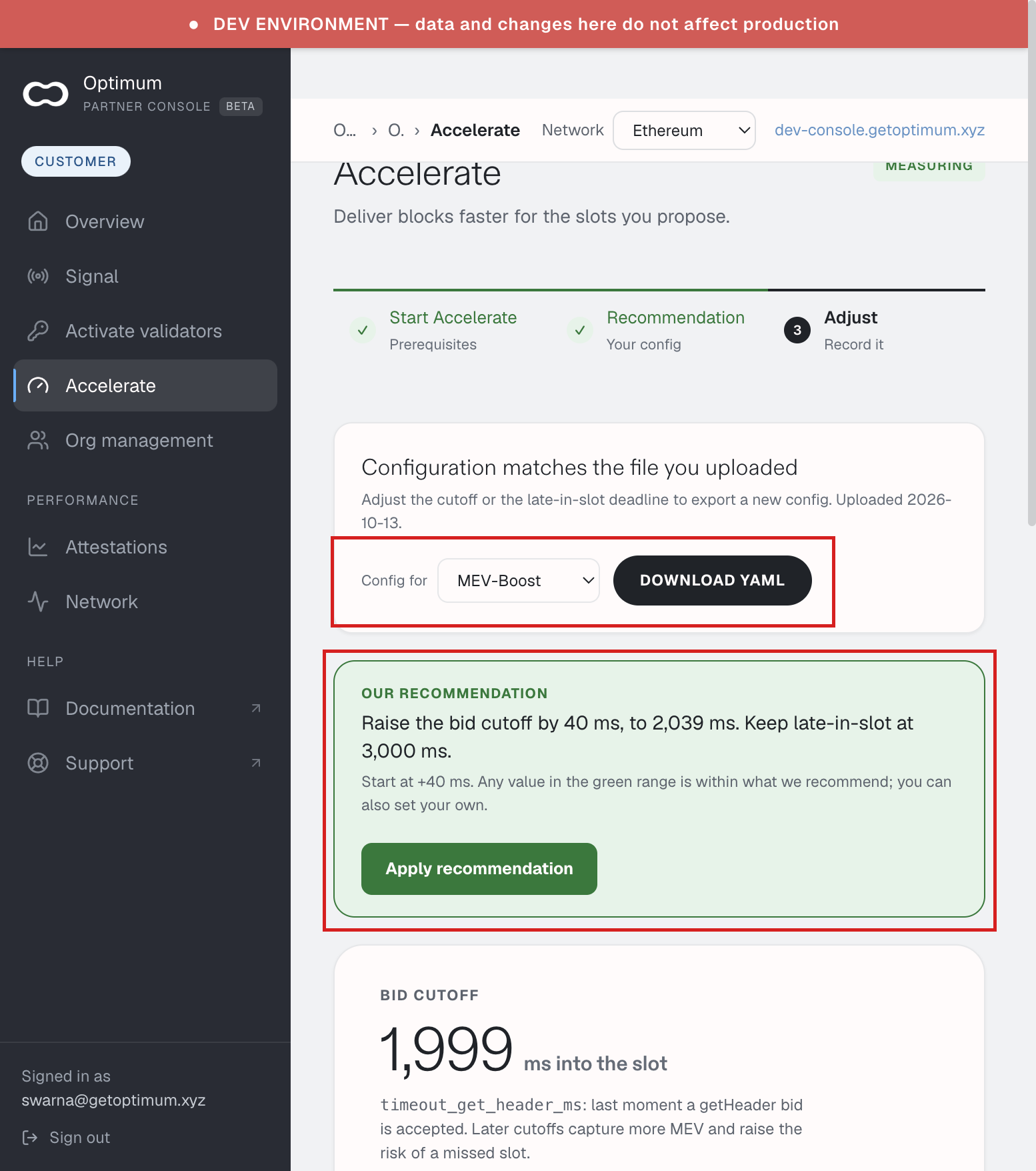
The top card says Configuration matches the file you uploaded until you move a value, then Unsaved changes to the cutoff, with Export the new config and deploy it — nothing here reaches your infrastructure.
Our recommendation states the move in words, for example Raise the bid cutoff by 40 ms, to 2,039 ms. Keep late-in-slot at 3,000 ms. Apply recommendation sets both sliders to it. Any value in the green range is within the recommendation, and you can set your own.
The Bid cutoff slider opens zoomed on the values around your current cutoff, so a 20 ms step is visible. Show full range shows the whole slot. Zoom to the recommendation returns. Marks on the track name Current and Recommended.
Under Pick a value — or drag the slider, each chip leads with the value to put in your config, then the move and its meaning, for example 2,039 ms, +40 · Recommended. The legend reads Recommended range, Safer, less MEV, and Current. Late in slot has its own slider and chips.
Under the sliders, the lines to update in your config appear once a value differs from the file on record.
Download and record
Config for picks the sidecar: MEV-Boost, Commit-Boost, or Both. The button names the file: Download YAML, Download TOML, or Download both, which saves the two files separately.
Deploy the file the way you already deploy sidecar config. Then I have adjusted my cutoff records the slider values as what you deployed. Recording it does not deploy it. Back to results leaves the editor.
What changed after you deployed is under MEV outcome on this screen. See Acceleration.