

What Signal does
Signal is the gateway beside your beacon node. It receives blocks from the Optimum mesh and hands them to your consensus client, so your validators receive blocks sooner. That is what improves attestation performance.
Once a gateway is enrolled, Signal opens on a home. The banner says whether Signal is active, how many gateways were seen in the last ten minutes, and how many indices are measured. Under it, four cards: blocks received earlier, attestation accuracy, gateways online, and indices measured. Set up another gateway starts the connect steps. Gateways & keys is where you mint enrollment keys and stream consumer tokens.
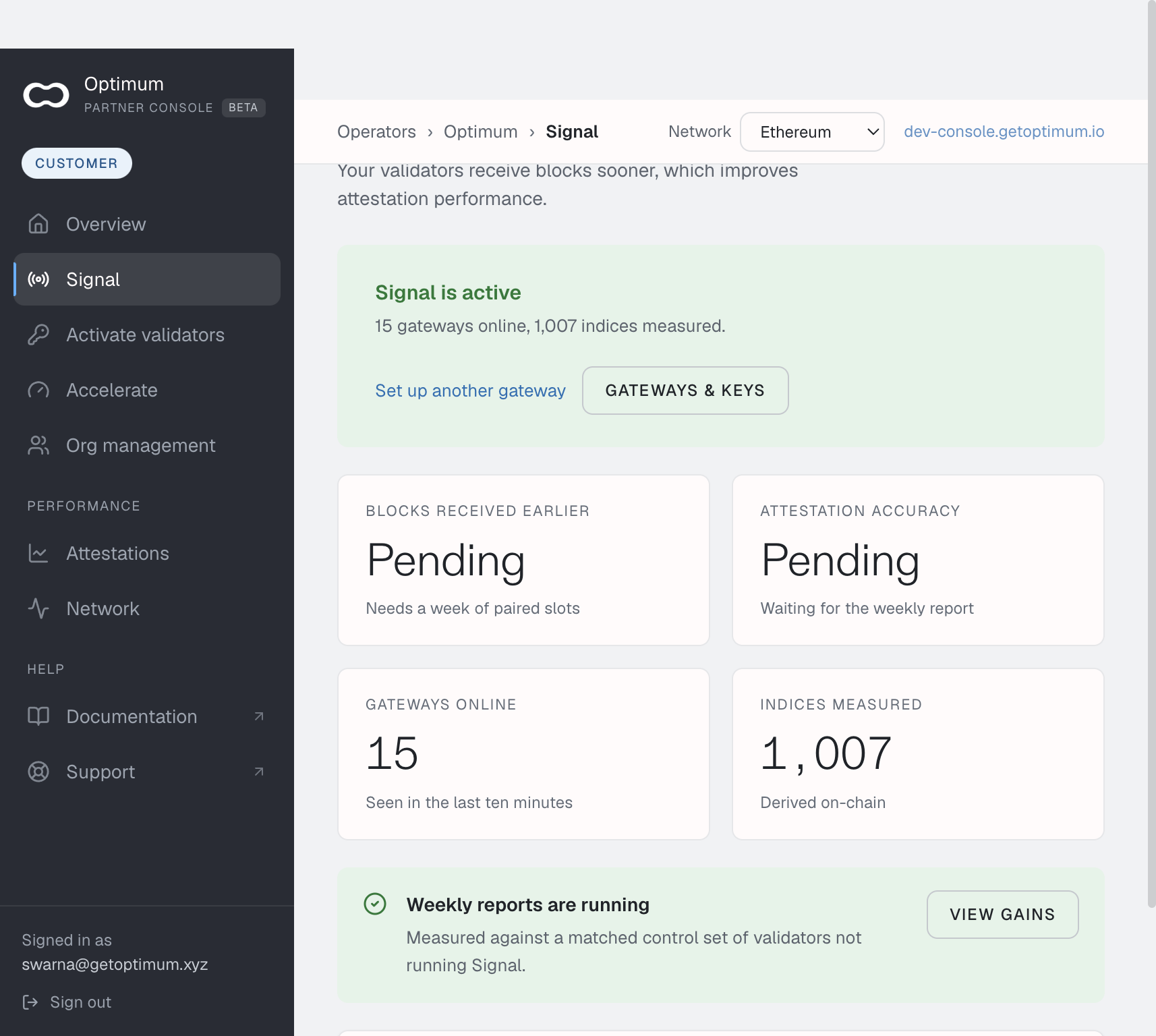
The pill on that home is Active when a gateway was seen recently, Idle when none was, and Unknown when the status could not be read. View gains opens the attestation report once weekly reports are running.
Connect
Set up another gateway uses these steps. Invited accounts connect their first gateway in onboarding, under Connect your first gateway, with the same commands.
| Step | On the screen | What you do |
|---|---|---|
| 1 Connect | 1a Name the gateway. 1b Start the gateway. 1c Point your client at the gateway. 1d Verify the connection. | Name it, start the container, peer the client, then check it. |
| 2 Register keys | Validator indices | Open Activate validators and submit indices. |
| 3 Measure | Weekly gains | The home, once a gateway is connected and enough indices are on record. |
1a asks for a Gateway name. It has to be unique in your organization. Console suggests one numbered after the gateways you already have. That name is what the command writes as OPT_GATEWAY_ID. A name already in use is refused on any other host. Use the existing name only on that gateway's own host, to update it. A gateway that has already enrolled keeps the name stored with its credential, under $HOME/optimum-gateway/mump2p.
1b asks Where does this gateway send data? My consensus client is the gateway beside a beacon node. A feed for my consumers is the stream-only gateway, with no consensus client. An account that does not run validators starts on A feed for my consumers. Copy the command for the mode you picked. The stream-only command is what A feed for my consumers generates.
A feed gateway measures no validators, so its steps are 1 Connect and 2 Measure. Its connect steps are 1a Name the gateway, 1b Start the gateway, and 1c Verify the connection.
The pill while you are on these steps is the check: Not checked, Checking, Connected, Not connected, Unknown, or Check failed.
1d is the check to trust. It reads what Optimum sees from outside your host. The curl /health command on that step answers one thing the check cannot: whether your consensus client is peered. Its first word is often degraded until that is done. See When the check fails.
Why enrollment keys
A gateway does not need a secret of its own handed to it. You give every host the same enrollment key (OPT_JOIN_KEY, ojk_…). On first start, each gateway creates its own keypair, enrols with Optimum, and keeps the credential it gets back in $HOME/optimum-gateway/mump2p. From then on it uses that credential, not the enrollment key.
That is what makes a fleet manageable:
- One key for many hosts. Each host gets its own name in 1a, and that name is in the command, so you change 1a before you copy the command for the next host. A repeat of a name is refused with HTTP 409.
- Nothing to rotate on the hosts. The key only lets new gateways in. When it expires or you revoke it, gateways that already enrolled keep running.
- A short window if it leaks. The key's lifetime is how long a copied command can still add gateways to your organisation.
- The network and cluster come from the key. A gateway cannot pick its own.
Each key admits up to 1,000 gateways, and your organisation is capped at 1,000 live gateway credentials. A gateway that keeps its credential across restarts spends nothing. Losing the identity directory spends another enrollment.
Which key lifetime
| Where you get it | Lasts | Use it for |
|---|---|---|
| Onboarding, Connect your first gateway | 14 days | An invited account's first gateway, when the person onboarding is not the person on the host. |
| Signal, Create an enrollment key that lasts a day | 1 day | A command you are about to paste. It goes straight into the command. |
| Gateways & keys → Enrollment keys, Generate enrollment key | You choose in Valid for (days), up to 365 | A rollout across many hosts or over several weeks. |
Every key is shown once. Export it as OPT_JOIN_KEY before running the command, unless Console already put it in. The key list shows enrollments used and the expiry date.
Revoking an enrollment key stops new gateways only. To cut off one gateway that already enrolled, revoke that gateway's own key under Gateways & keys → Gateway. Self-serve accounts do not have that tab; ask support.
Next: Network, then Connect your gateway.