

Onboard in bulk
Many gateways
You do not need one key per host. One enrollment key enrols the whole fleet. See Why enrollment keys.
- Mint a key that outlasts the rollout: Gateways & keys → Enrollment keys → Generate enrollment key. Set Valid for (days) to cover the time until the last host is started. The secret is shown once. Store it where your deployment tooling reads secrets.
- On Signal, open Set up another gateway. In 1a, set the name for this host, then copy the start command. It reads the key from
$OPT_JOIN_KEYunless you had Console put a key in it. The name from 1a is already in the command. - On that host, export
OPT_JOIN_KEYand run the command. For the next host, change the name in 1a and copy the command again. - Peer each gateway with the beacon node beside it. Every gateway has its own peer id. Connect your gateway.
- Open Signal and Run check. Verify covers every gateway in your organisation together: Gateway enrolled shows how many, such as Yes, 3. It does not name them, so check each new host with
curl http://localhost:48123/healthon that host.
Names must differ. The command sets OPT_GATEWAY_ID to the name from 1a, and a second gateway under a name that is already enrolled is refused with HTTP 409.
Keep each host's $HOME/optimum-gateway directories. A gateway that keeps them re-uses its credential and spends nothing on restart. One that loses them enrols again, spends another of the key's enrollments, and is refused under the same name until the old credential is revoked.
On Kubernetes, store the key in a Secret, inject it as OPT_JOIN_KEY, and give each pod a unique OPT_GATEWAY_ID, such as the pod name. Keep the identity PVC: an emptyDir is lost whenever the pod is replaced, and every replacement enrols again. The chart's own values still describe the older API key path. See Fleet enrollment (join key) in the gateway Helm guide.
Many validators
Validator indices are how Console knows which slots you propose. Three ways to submit them in bulk:
| Where | How | Who has it |
|---|---|---|
| Activate validators, Validator indices to connect | Paste indices or Upload CSV: decimal indices, one per line or comma separated. Optimum confirms them before they count. What you submitted tags each index with its outcome. | Self-serve accounts that answered yes to Do you run validators? |
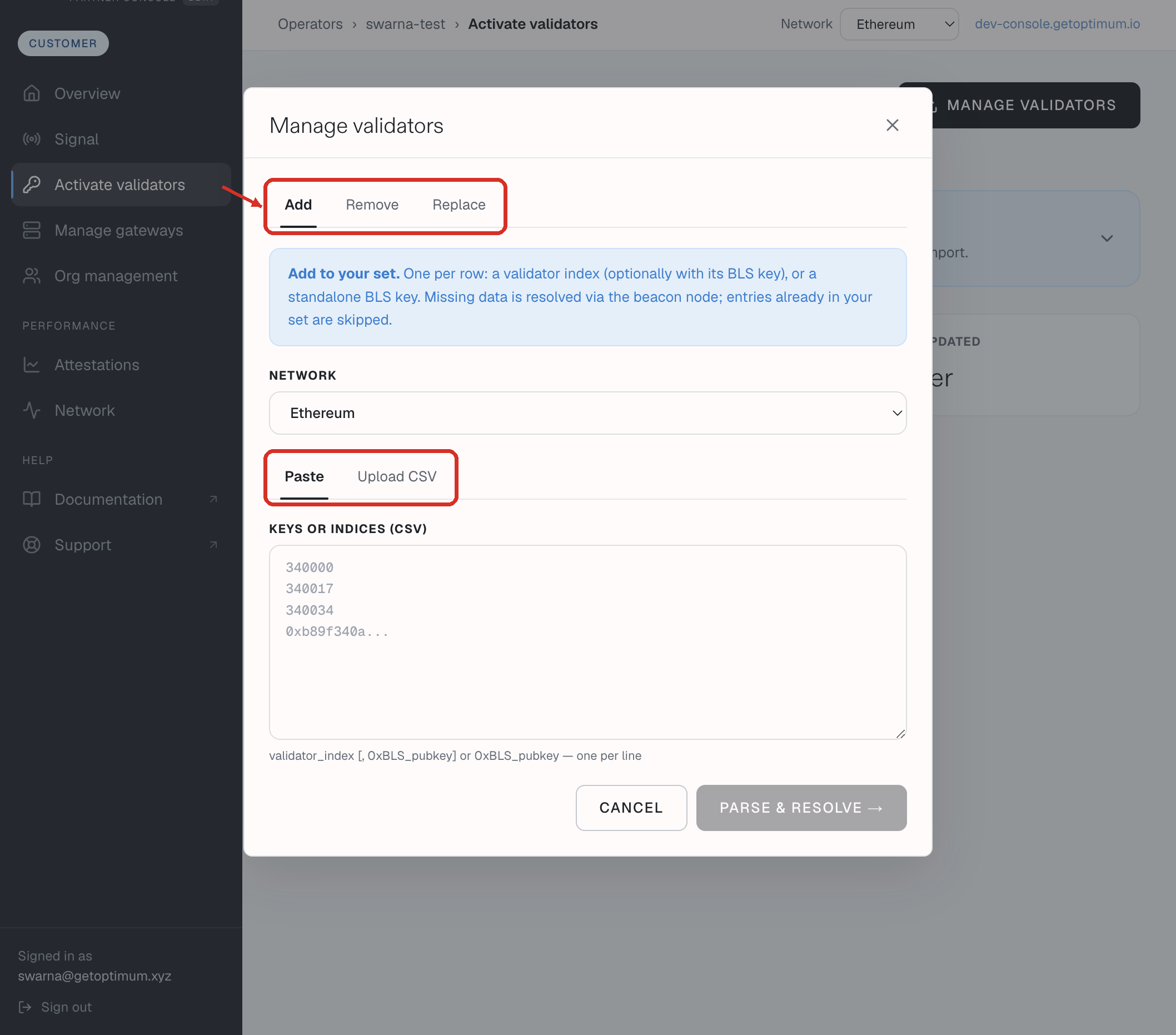
| Activate validators → Manage validators | Add, Remove, or Replace your set. Paste or Upload CSV. A line is an index, an index and its BLS key, or a BLS key. Replace shows the net change before it applies. | Invited operator accounts, when the screen is enabled. |
| Keep your validators in sync automatically, on Activate validators | Generate an operator API key under Manage API keys, then run Keysync on a schedule. It reconciles your set against Console on every run. | Invited operator accounts. |
Console never lists your indices back to you. Activate validators shows counts and a history of changes only.
Self-serve accounts add more indices on Activate validators at any time, or ask support. See Register keys.